What will i learn?

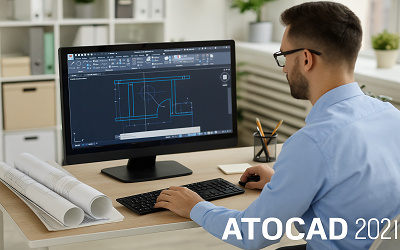
  • By the end of this course, you will be able to: ✅ Navigate the AutoCAD 2021 Interface – Understand the workspace, toolbars, and essential commands.
  • ✅ Create Precise 2D Drawings – Learn to draw lines, circles, arcs, and other basic shapes with accuracy.
  • ✅ Modify & Edit Drawings – Master essential editing tools like trim, extend, mirror, rotate, and scale.
  • ✅ Boost Productivity with Shortcuts – Learn essential keyboard shortcuts to speed up your workflow.

Course description

Unlock the power of AutoCAD 2021 with this beginner-friendly course designed to take you from absolute novice to confident user. Whether you're an aspiring engineer, architect, or designer, this step-by-step training will help you master the essential tools and techniques of AutoCAD.

Through hands-on lessons, you'll learn how to create precise 2D drawings, use fundamental commands, work with layers, apply annotations, and set up your workspace for efficiency. No prior experience is needed—just a willingness to learn!

By the end of this course, you'll be equipped with the skills to navigate AutoCAD 2021 with ease, laying a strong foundation for more advanced design work. Join now and start your journey in computer-aided design!

Requirements

  • Basic Computer Skills – No prior experience with AutoCAD is needed, but you should be comfortable using a computer.

Frequently asked question

This course is designed for beginners who have little to no experience with AutoCAD 2021. It is perfect for students, engineers, architects, designers, and anyone looking to learn the basics of computer-aided design (CAD).

No, this course is tailored for absolute beginners. You’ll start with the fundamentals and gradually build up your skills.

You will need AutoCAD 2021 installed on your computer. If you don’t have it, you can download a free trial from Autodesk’s official website.

Mudessar Afraz

Project Planning & QS Expert (56K+ Global Students)

My Name Is Mudessar Afraz, and I am a highly experienced Civil Engineer and Project Planning Expert trusted by over 56,000 students globally. I have a strong background in Quantity Surveying and Project Planning and a proven track record of delivering projects on time and within budget. I specialize in teaching complex estimation and scheduling techniques using software like Planswift, Excel, and Primavera P6. My courses are built on real-world blueprints and construction documentation, ensuring students master the practical steps needed for their careers, not just theory. I am an experienced online instructor with a talent for making complex concepts easy to understand, helping my students succeed in the competitive field of civil engineering.

Sameer Sulaman

27-Aug-2025

5

Excellently taught the basics of AutoCAD

salman kareem

23-Jul-2025

5

26-Jun-2025

5

Great

Free

Lectures

25

Skill level

Beginner

Expiry period

Lifetime

Certificate

No

Related courses